Aviso importante
IMPORTANT: Starting with version v26.09.00, releases and installers are no longer hosted on this site. They are now officially distributed directly through Avalara account, see below how to download them.
Step-by-Step Instructions for Customers / Partners
1. Log in to Avalara Account:
- Go to https://account.avalara.com and sign in with authorized account credentials.
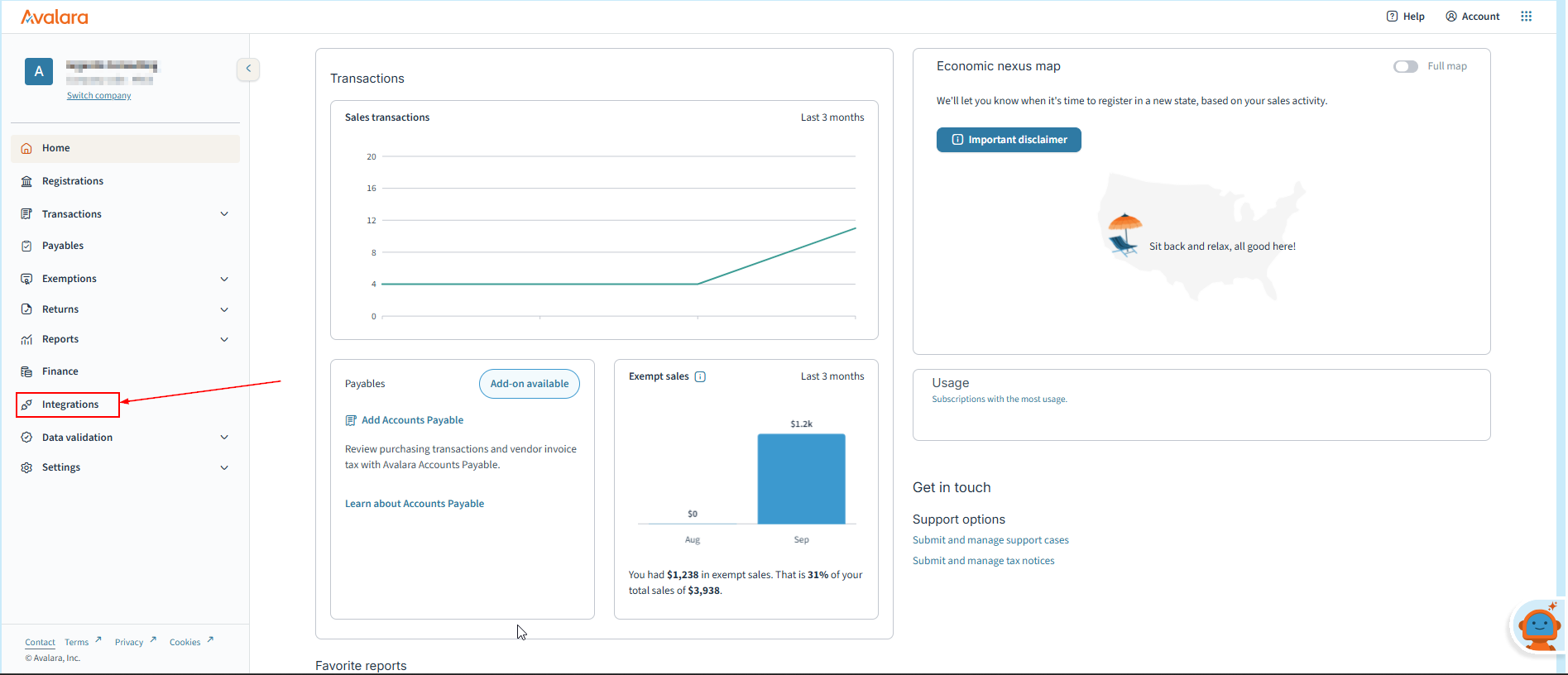
2. Navigate to Integrations:
- In the main navigation menu, click on Integrations.
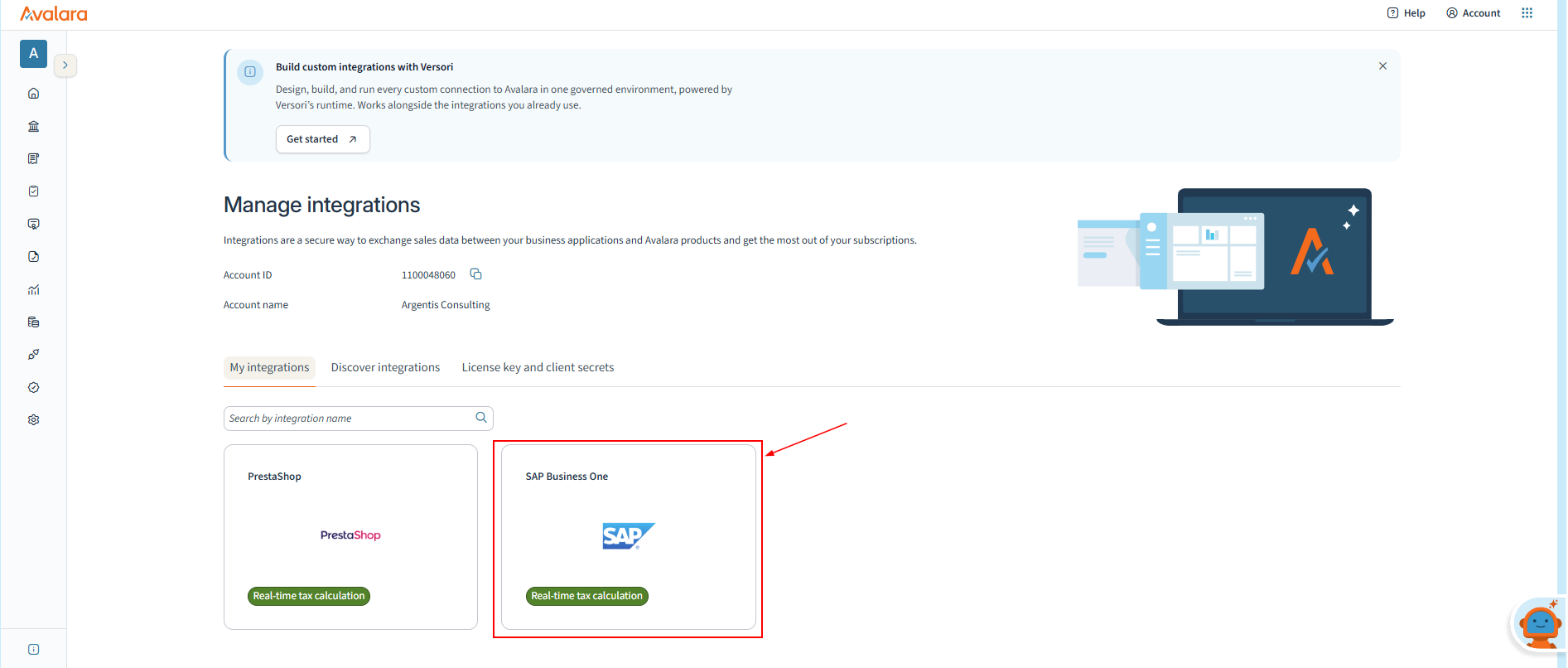
3. Locate the Connector:
- Under your active subscriptions, find SAP Business One (or AvaTax for SAP Business One).
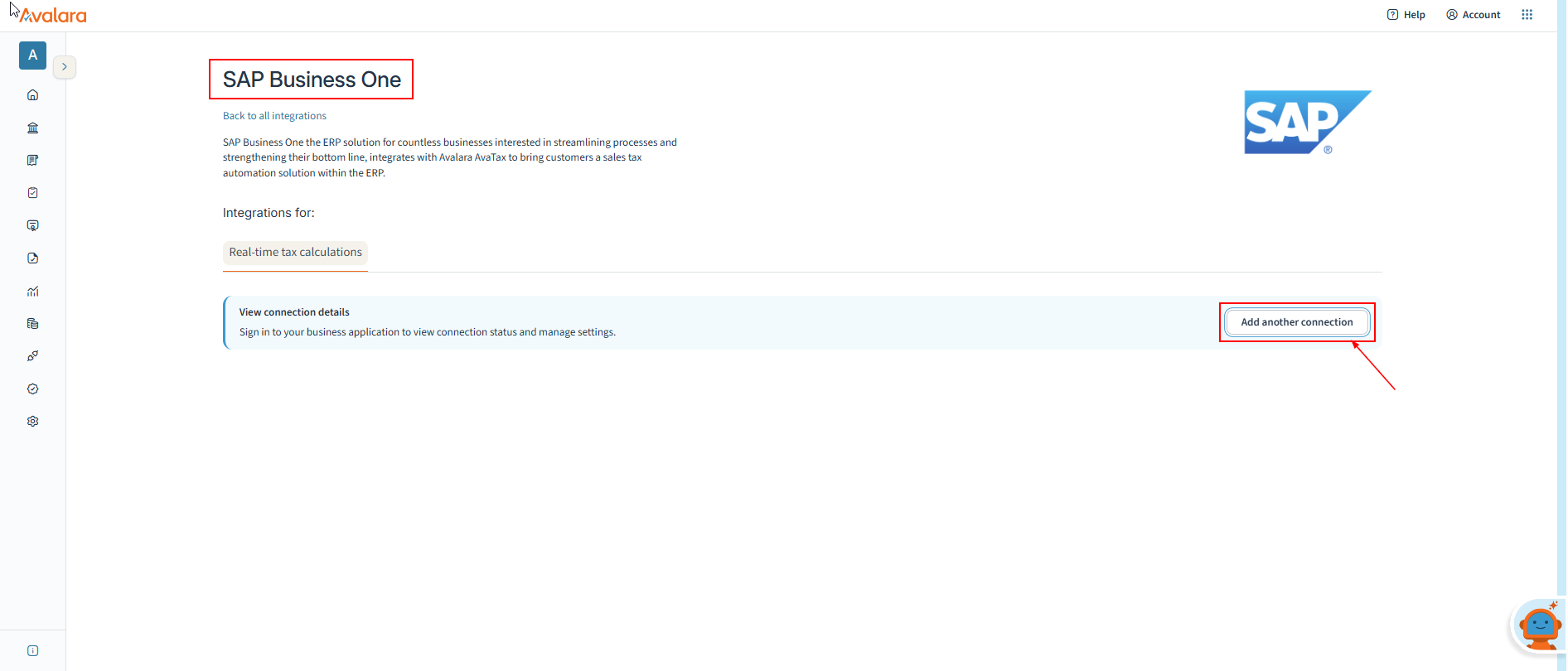
4. Download the Package:
- Click on the active version or select Download.
- The browser will automatically download the unified ZIP file (e.g., AvaTaxForSAPBusinessOnev26.09.00.zip).

What Is Included in the Download Package?
The downloaded .zip file (e.g., AvaTaxForSAPBusinessOnev26.09.00.zip) is a unified release bundle containing the following structure:
- Addon/ (SAP Business One Add-on):
- The core AvaTax add-on installer for SAP Business One (compatible with versions 9.x and 10.x on both Microsoft SQL Server and SAP HANA databases).
- The core AvaTax add-on installer for SAP Business One (compatible with versions 9.x and 10.x on both Microsoft SQL Server and SAP HANA databases).
- Avatax Event Service/ (Event Service):
- The Windows background service installer responsible for automatic transaction monitoring and real-time/batch tax synchronization with AvaTax.
- The Windows background service installer responsible for automatic transaction monitoring and real-time/batch tax synchronization with AvaTax.
- WebUI/ (Web UI Console):
- The web-based administrative application for batch calculation jobs, address validation utilities, reconciliation, and multi-company setup.
- The web-based administrative application for batch calculation jobs, address validation utilities, reconciliation, and multi-company setup.
- README.txt (Text File / Notepad):
- What it is: A quick-start reference guide and release index provided at the root of the ZIP file.
- What it contains & why it's there:
- Package manifest: An overview of the folder structure and what each component is for.
- Version & build details: Specific build number and component versions included in the release.
- Prerequisites & system guidance: Basic installation notes and component dependencies prior to setup.
- Quick reference links: Direct pointers to relevant Avalara Help Center documentation and release notes for full installation and configuration steps
Key Requirements & Notes
- Active Subscription Required: Downloads are displayed based on active account subscriptions. If a user tries to access a direct download link without logging in or without an active entitlement, an access error will appear.
- Deployment Model: The connector remains Customer/Partner-hosted (installed and run locally on the customer’s or partner’s SAP Business One server/environment, not hosted in Avalara Cloud).